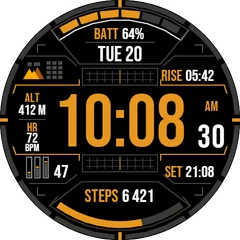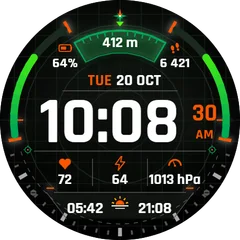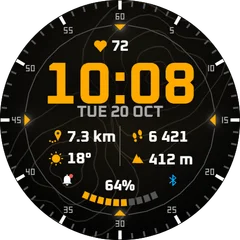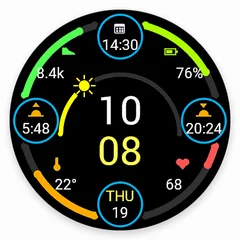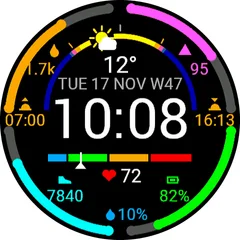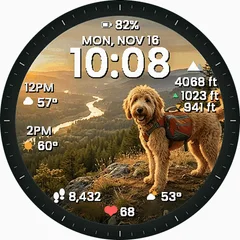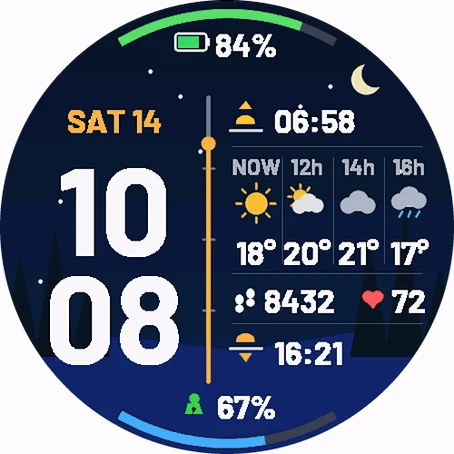
Weather Window Night Forest Pro
ON THE FACE - Big digital time, hours over minutes, 12 / 24 h (AM / PM on the edge in 12 h mode) - Date above the time - 7 formats - Weather now plus a 3 step forecast: hourly (every 1, 2 or 3 hours) or daily (next 3 days, high temperature) - Sunrise and sunset times - Two data fields (default: steps and heart rate) - Divider line works as a gauge (default: daily step goal) - Top arc (default: battery) and bottom arc (default: Body Battery) SETTINGS (Garmin Connect app - watch face settings) - Background: Night Forest, Carbon or Black - Time color and accent color: white, orange, yellow, cyan, green, red, pink, blue, purple, gray - Date format: SAT 14, 14 NOV, SAT 14 NOV, 14.11., SAT W46, day of year or off - Top arc and bottom arc: battery, Body Battery, stress, step goal %, floors goal %, active minutes goal %, Pulse Ox, solar intensity, day progress, humidity, chance of rain or off - Left and right field: steps, heart rate, battery, Body Battery, calories, distance, floors, altitude, stress, recovery time, active minutes, notifications, battery days left, chance of rain or off - Divider gauge: Auto (follows the left field - steps, floors, active minutes, battery, Body Battery), step goal, floors goal, active minutes goal, day progress, sun (sunrise to sunset), battery, Body Battery or plain line - Forecast: hourly every 1 / 2 / 3 hours or daily - Show weather location name (off by default) - Leading zero in hours, temperature unit (watch / C / F) DETAILS - Uses the built-in Garmin weather (from your phone) - no extra app, no account - Always-On mode on AMOLED: dimmed time and date, moved every minute against burn-in - MIP watches get colors tuned for 64-color screens - km / miles and meters / feet follow your watch settings.
- Works on
- 63 watches
- In store since
- 14 November 2026
- Updates
- once a minute
Works on 63 watches
33 with AMOLED displays and 30 with MIP displays. Pick yours and the site remembers it.
Forerunner
fēnix
vívoactive
Legacy
Instinct
How to install
- Press “Get it in the Connect IQ Store”. On a phone it opens in the Connect IQ app.
- Press Install and pick your watch. The face arrives at the next sync.
- Hold the top-left button on the watch, choose Watch Face, select Weather Window Night Forest Pro.